Scratch Emulator
Description
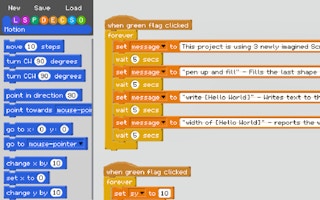
CLICK THE REAL GREEN FLAG AGAIN TO
RUN THE PROJECT 'IN' THE PROJECT :)
Click it again again to stop it.
CLICK THE REAL GREEN FLAG AGAIN TO
RUN THE PROJECT 'IN' THE PROJECT :)
Click it again again to stop it.
━ How to use ━━━━━━━━━━━━━━
★ Create Scripts to dragging blocks off the side panel
★ Rename variables by clicking on them
★ Delete blocks by dragging them onto the side panel
★ Scroll up and down using the arrow keys or mouse scroll wheel
★ Left & Right arrow keys to scroll left and right
★ Duplicate a block stack by holding down alt before dragging.
★ RUN THE PROJECT by clicking the green flag again, or clicking the green flag hat block of your script.
How to make block inputs:
-Use [square brackets] to make a string input.
-Use (round brackets) to make a number input.
-Use <triangular brackets> to make a boolean input.
-Text inside the brackets becomes the input's name.
Related Games